"Work with a trusted X Official Enterprise Developer to expand what's possible for your business. Each Official Enterprise Developer has been selected for the program after an extensive evaluation, and represents excellence, value, and trust." — X (Twitter)
Yes, it is possible to schedule even 1000 X posts with Circleboom. You can upload CSV files to the bulk scheduler, and Circleboom will take care of the rest.
X POST PLANNER
You can find all these on Circleboom's X Post Planner. You can create, plan, share, schedule, and automate your X posts with the AI-powered Circleboom algorithm.
What is smart scheduling for X posts? Any random future date is not working for your tweets anymore. The lifetime of a tweet is only 12 minutes. So, you should find the perfect time to shoot your words, and then others will see them.
Smart scheduling on Circleboom enables you to target the optimal hours and minutes to get the best possible attention from your followers and audience. You can schedule your tweets at the user-specific best times that the Circleboom algorithm calculates for you!
SCHEDULE RETWEETS
On Circleboom, you can also schedule retweets. Yes, thanks to the Auto Retweeter feature, you can set time intervals and have X posts retweeted in scheduled periods.
SECURITY IS NOT A CONCERN WITH CIRCLEBOOM
You are totally safe with Circleboom because we are an official X Enterprise Developer and we use the official API. Therefore, you don't need to worry about safety while in Circleboom. Never trust other tools that do not have an official X partnership.
Bulk scheduling is an essential part of Twitter management. You can schedule your tweets in bulk by using Circleboom. It is so simple. Just follow these steps:
You will see "Bulk Schedule" on the list. Click on it and continue.
3
03
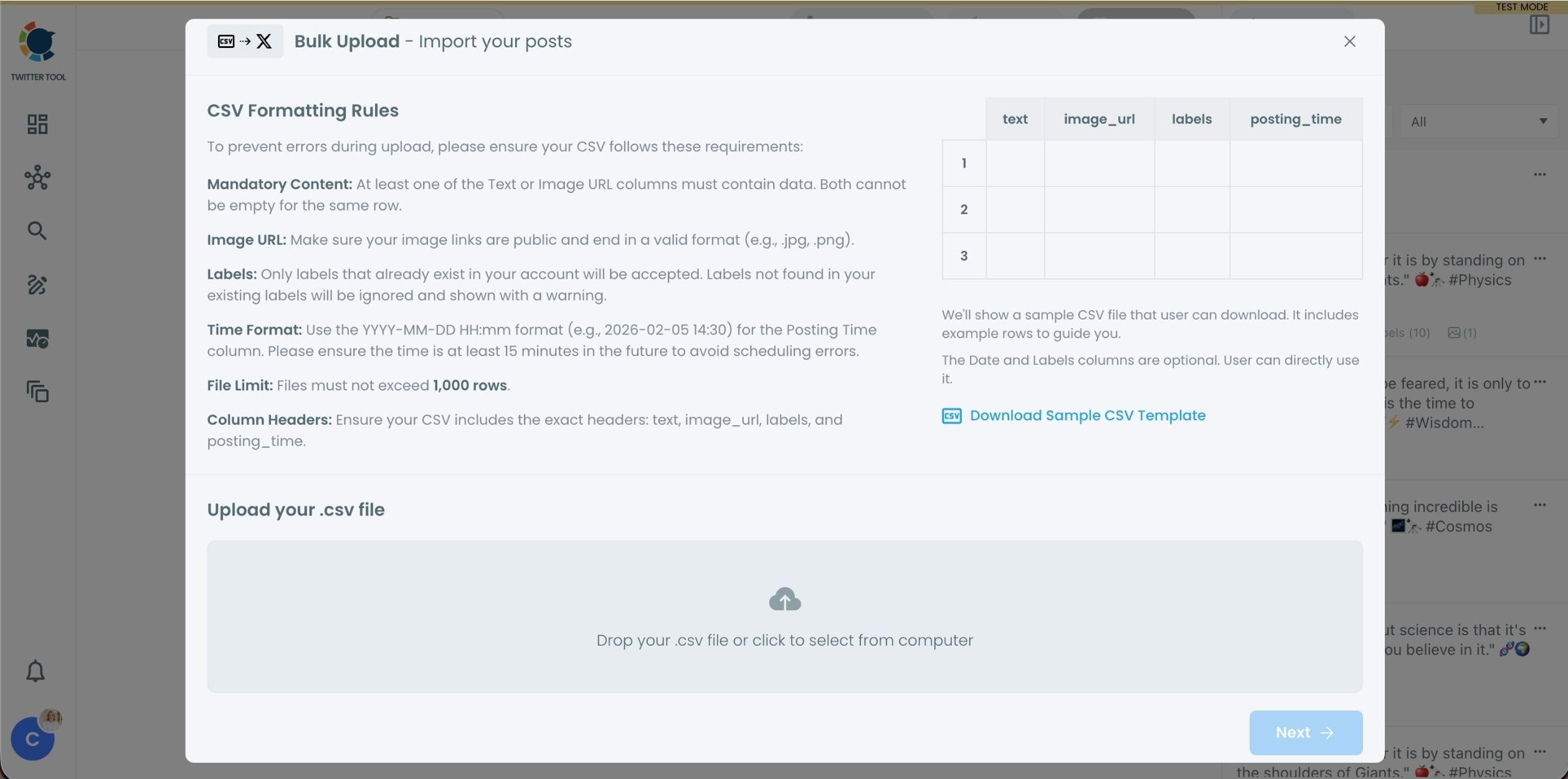
Upload your CSV file by dragging it into the upload area or selecting it from your device.
Before uploading, make sure your CSV file follows the required format. Your file should include the correct column headers, and each row should represent a single tweet. You can include tweet text, image URLs, labels, and posting times. Preparing the file in the correct format prevents errors during scheduling.
4
04
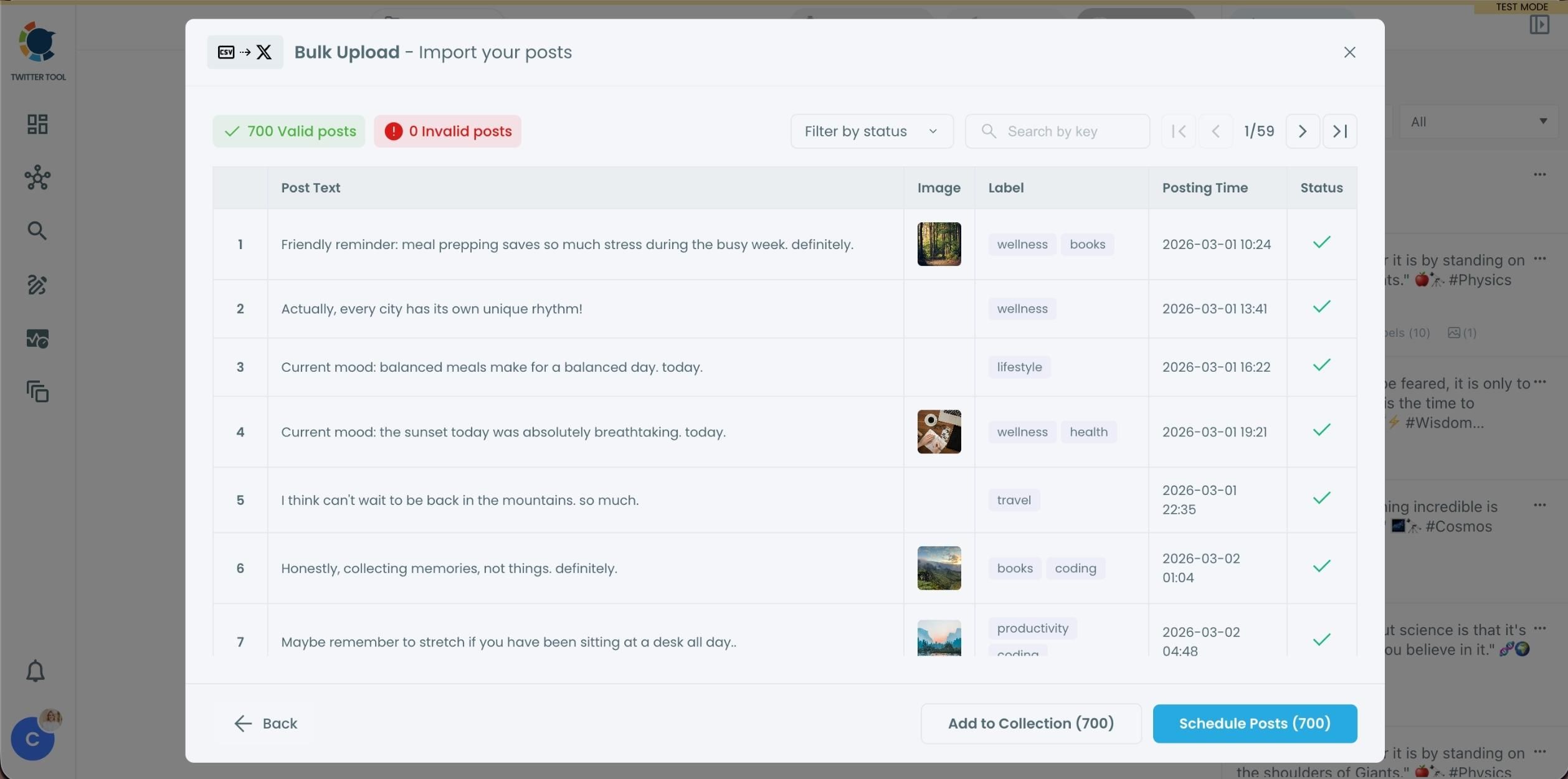
After uploading the CSV file, Circleboom shows all your tweets in a preview list.
At this stage:
Valid tweets are marked clearly
Invalid tweets are shown with the reason for the error
You can also add tweets to Collections if you want to organize or reuse them later
This step helps you catch and fix problems before anything is scheduled.
5
05
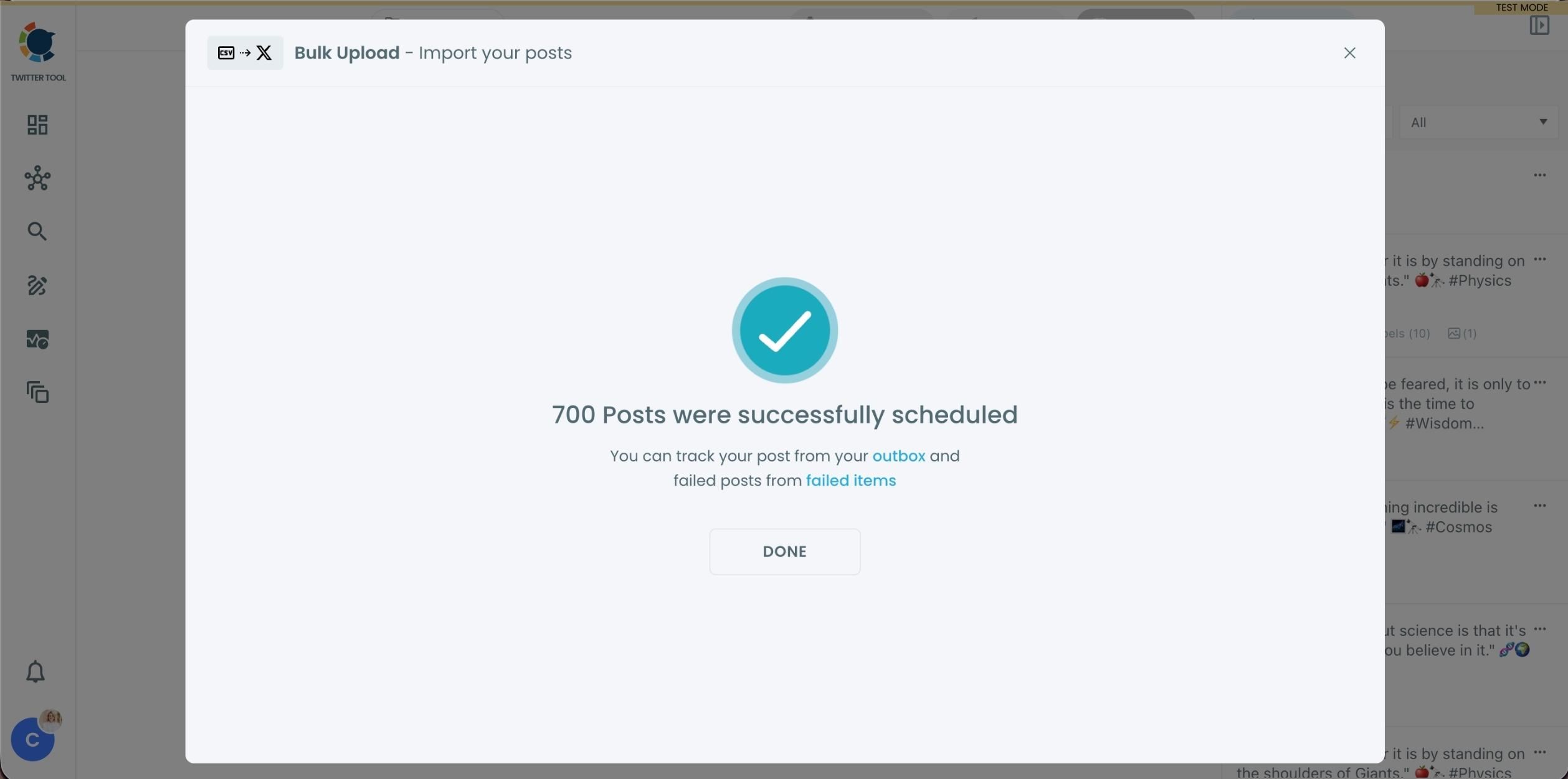
Once everything looks correct, click Schedule Posts.
Circleboom automatically schedules all valid tweets based on the posting times in your CSV file.
Even hundreds of tweets can be scheduled in seconds, without manual work.
6
06
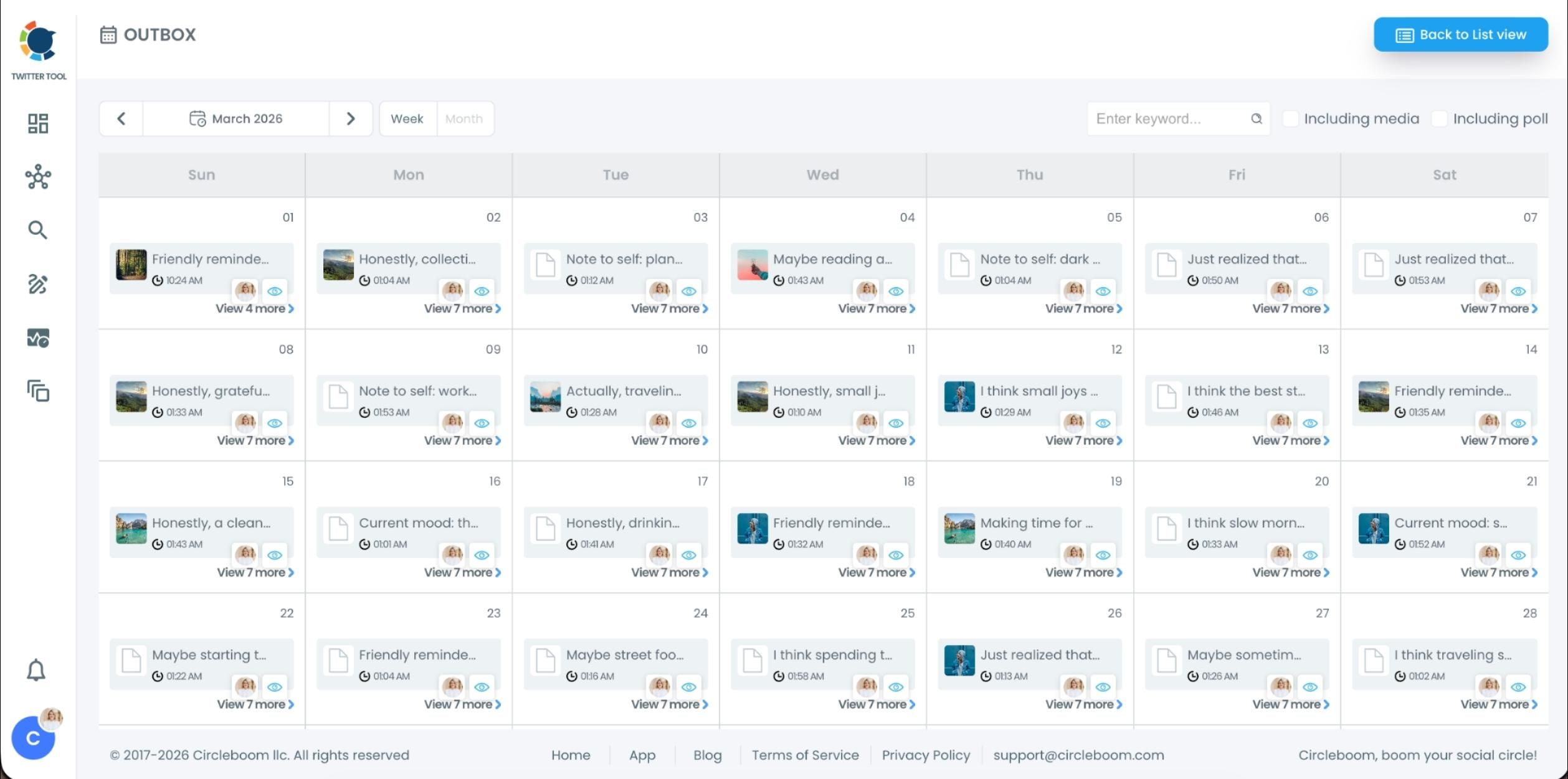
After scheduling, all your tweets appear in the Outbox and calendar view.
From here, you can:
See all scheduled tweets by date and time
Make changes if needed
Edit or remove scheduled posts
Keep track of your content easily
This gives you full control even after bulk scheduling is completed.